<?xml version="1.0" encoding="utf-8"?><feed xmlns="http://www.w3.org/2005/Atom" ><generator uri="https://jekyllrb.com/" version="3.10.0">Jekyll</generator><link href="/feed.xml" rel="self" type="application/atom+xml" /><link href="/" rel="alternate" type="text/html" /><updated>2025-12-22T06:50:43+00:00</updated><id>/feed.xml</id><title type="html">Sleet’s Blog</title><subtitle>Personal blog for recording development experiences, technical insights, and side projects.</subtitle><author><name>Jaehyung Choi</name></author><entry><title type="html">Common Pitfalls When Creating a DLL and How to Handle Errors</title><link href="/troubleshooting/Common-Pitfalls-When_Creating-a-DLL-and-How-to-Handle-Errors/" rel="alternate" type="text/html" title="Common Pitfalls When Creating a DLL and How to Handle Errors" /><published>2025-05-22T18:46:30+00:00</published><updated>2025-05-22T18:46:30+00:00</updated><id>/troubleshooting/Common-Pitfalls-When_Creating-a-DLL-and-How-to-Handle-Errors</id><content type="html" xml:base="/troubleshooting/Common-Pitfalls-When_Creating-a-DLL-and-How-to-Handle-Errors/"><![CDATA[<p>When building a DLL, various issues often arise when trying to load it from a C# application. This post documents important precautions when building a DLL, as well as how to troubleshoot common DLL-related errors.</p>

<h2 id="things-to-watch-out-for-when-creating-a-dll">Things to Watch Out for When Creating a DLL</h2>

<h3 id="1-use-extern-c--__declspecdllexport-to-expose-functions">1. Use <code class="language-plaintext highlighter-rouge">extern "C"</code> + <code class="language-plaintext highlighter-rouge">__declspec(dllexport)</code> to expose functions</h3>
<div class="language-cpp highlighter-rouge"><div class="highlight"><pre class="highlight"><code><span class="cp">#pragma once
#ifdef MYDLL_EXPORTS
#define MYDLL_API __declspec(dllexport)
#else
#define MYDLL_API __declspec(dllimport)
#endif
</span>
<span class="k">extern</span> <span class="s">"C"</span> <span class="p">{</span>
    <span class="n">MYDLL_API</span> <span class="kt">bool</span> <span class="n">MyFunction</span><span class="p">(</span><span class="kt">char</span><span class="o">*</span> <span class="n">buffer</span><span class="p">,</span> <span class="kt">int</span> <span class="n">len</span><span class="p">);</span>
<span class="p">}</span>
</code></pre></div></div>

<ul>
  <li><strong><code class="language-plaintext highlighter-rouge">extern "C"</code></strong> disables C++ name mangling, making the function callable from C# or other languages via <code class="language-plaintext highlighter-rouge">DllImport</code>.</li>
</ul>

<h3 id="2-specify-the-target-platform-clearly-x64-or-x86">2. Specify the target platform clearly (x64 or x86)</h3>
<ul>
  <li>If the application using the DLL is built for x64, the DLL must also be x64.</li>
  <li>C# applications built with <strong>AnyCPU</strong> typically run as x64 on 64-bit machines.</li>
  <li>However, due to Visual Studio settings or runtime behavior, x86 DLLs might be used. It’s best to explicitly match the bitness.</li>
</ul>

<h3 id="3-explicitly-declare-only-the-functions-you-want-to-expose-in-the-header">3. Explicitly declare only the functions you want to expose in the header</h3>
<ul>
  <li>Internal functions should be marked as <code class="language-plaintext highlighter-rouge">static</code> or defined only within <code class="language-plaintext highlighter-rouge">.cpp</code> files to prevent external access.</li>
</ul>

<h3 id="4-be-mindful-of-data-marshaling">4. Be mindful of data marshaling</h3>
<ul>
  <li>C++ uses <code class="language-plaintext highlighter-rouge">char*</code> strings, which do not exist in C#. Use <strong><code class="language-plaintext highlighter-rouge">StringBuilder</code></strong> on the C# side.</li>
  <li>C++ and C# <code class="language-plaintext highlighter-rouge">bool</code> types differ in size (1 byte vs. 4 bytes), so marshaling must be explicitly defined.</li>
</ul>

<div class="language-c# highlighter-rouge"><div class="highlight"><pre class="highlight"><code><span class="p">[</span><span class="nf">DllImport</span><span class="p">(</span><span class="s">"mydll.dll"</span><span class="p">,</span> <span class="n">CallingConvention</span> <span class="p">=</span> <span class="n">CallingConvention</span><span class="p">.</span><span class="n">Cdecl</span><span class="p">,</span> <span class="n">CharSet</span> <span class="p">=</span> <span class="n">CharSet</span><span class="p">.</span><span class="n">Ansi</span><span class="p">)]</span>
<span class="p">[</span><span class="k">return</span><span class="p">:</span> <span class="nf">MarshalAs</span><span class="p">(</span><span class="n">UnmanagedType</span><span class="p">.</span><span class="n">I1</span><span class="p">)]</span>
<span class="k">private</span> <span class="k">static</span> <span class="k">extern</span> <span class="kt">bool</span> <span class="nf">mydll_function</span><span class="p">([</span><span class="n">Out</span><span class="p">][</span><span class="nf">MarshalAs</span><span class="p">(</span><span class="n">UnmanagedType</span><span class="p">.</span><span class="n">LPStr</span><span class="p">)]</span> <span class="n">StringBuilder</span> <span class="n">buffer</span><span class="p">,</span> <span class="kt">int</span> <span class="n">bufferMaxLength</span><span class="p">);</span>
</code></pre></div></div>

<h3 id="5-if-you-include-sdks-or-external-libraries">5. If you include SDKs or external libraries</h3>
<ul>
  <li>Ensure <code class="language-plaintext highlighter-rouge">.lib</code> and <code class="language-plaintext highlighter-rouge">.dll</code> files are built for the same architecture.</li>
  <li>All dependent DLLs must be copied to the execution directory.</li>
  <li>If even one DLL has a mismatched bitness, an error will occur.</li>
</ul>

<h2 id="how-to-handle-common-errors">How to Handle Common Errors</h2>

<blockquote>
  <p>An attempt was made to load a program with an incorrect format. (0x8007000B)</p>
</blockquote>

<ul>
  <li><strong>Cause</strong>: Bitness mismatch
 e.g. Application is x64, but DLL is x86</li>
  <li><strong>Check with</strong></li>
</ul>

<div class="language-bash highlighter-rouge"><div class="highlight"><pre class="highlight"><code>dumpbin /headers mydll.dll | findstr machine
</code></pre></div></div>

<ul>
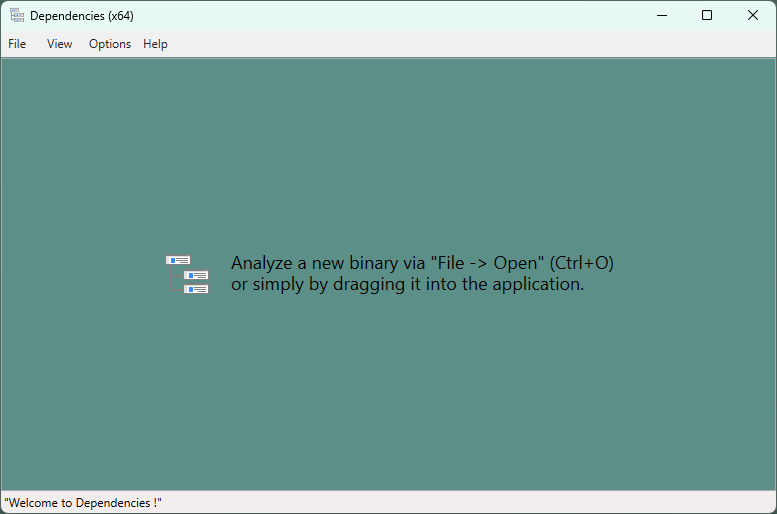
  <li>Use the <strong>Dependencies</strong> tool to check bitness of all dependent DLLs. A single mismatch can cause this error.</li>
</ul>

<blockquote>
  <p>DllNotFoundException
BadImageFormatException</p>
</blockquote>

<ul>
  <li>
    <p><strong>Cause</strong>: DLL is missing from the executable directory, or a dependency is missing, or the DLL failed to load due to path/format issues.</p>
  </li>
  <li>
    <ul>
      <li>
        <p><strong>Debug with</strong>:</p>

        <ul>
          <li>
            <p><strong>Dependencies</strong>: Check all DLL dependencies</p>
          </li>
          <li>
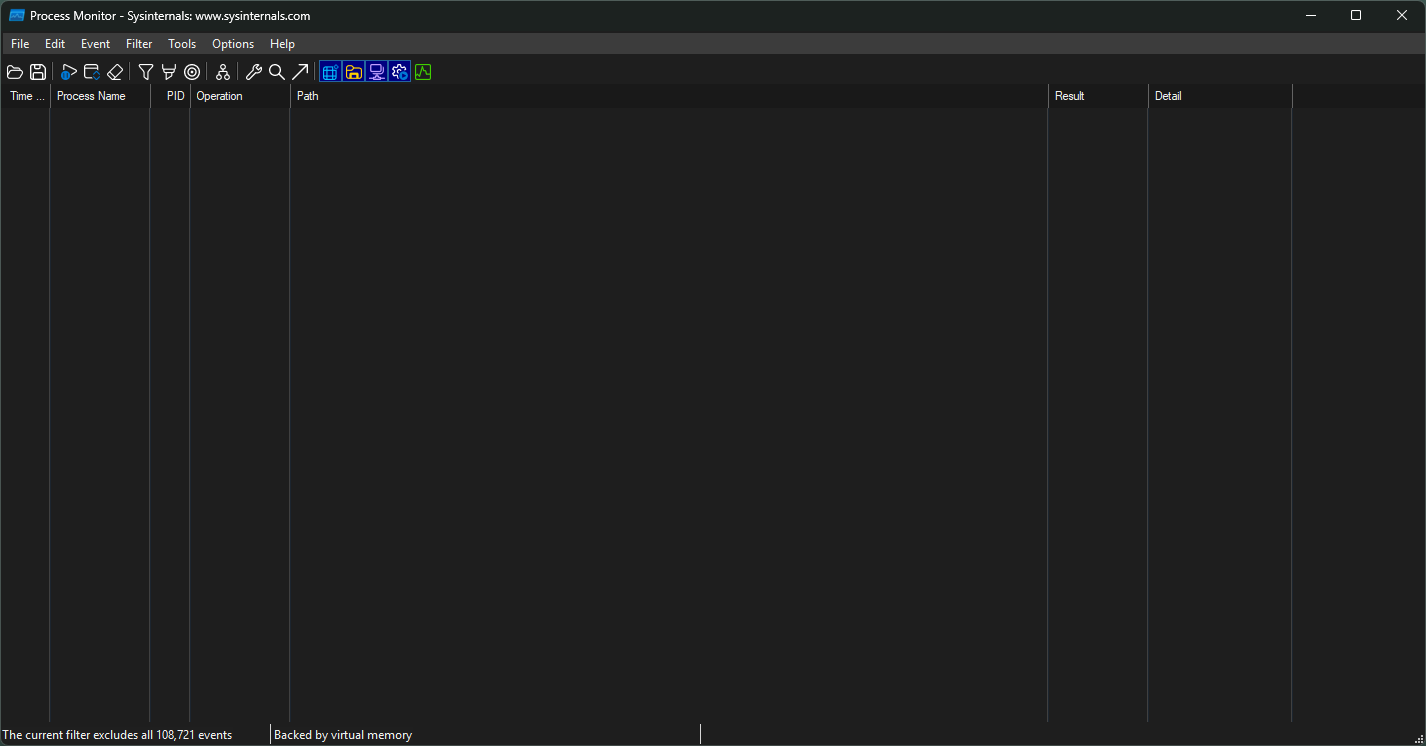
            <p><strong>ProcMon</strong>: Trace the actual path of DLL loading</p>
          </li>
          <li>
            <p>Check if the function is exported using:</p>
            <div class="language-bash highlighter-rouge"><div class="highlight"><pre class="highlight"><code> dumpbin /exports mydll.dll
</code></pre></div>            </div>
          </li>
        </ul>
      </li>
    </ul>
  </li>
</ul>

<blockquote>
  <p>AccessViolationException</p>
</blockquote>

<ul>
  <li>
    <p><strong>Cause</strong>: C++ function signature and C# declaration do not match</p>

    <p><strong>Solution</strong>: Check function signatures and types.</p>

    <ul>
      <li>Example: C++ <code class="language-plaintext highlighter-rouge">bool</code> is 1 byte, but C# <code class="language-plaintext highlighter-rouge">bool</code> is 4 bytes—explicit marshaling is required.</li>
    </ul>
  </li>
</ul>

<h2 id="c-and-c-interop-compatibility-table">C++ and C# Interop Compatibility Table</h2>

<table>
  <thead>
    <tr>
      <th>Case</th>
      <th>C++ Type</th>
      <th>C# Equivalent</th>
    </tr>
  </thead>
  <tbody>
    <tr>
      <td>String</td>
      <td><code class="language-plaintext highlighter-rouge">char*</code></td>
      <td><code class="language-plaintext highlighter-rouge">StringBuilder</code>, <code class="language-plaintext highlighter-rouge">[Out]</code>, <code class="language-plaintext highlighter-rouge">MarshalAs(LPStr)</code></td>
    </tr>
    <tr>
      <td>Fixed String</td>
      <td><code class="language-plaintext highlighter-rouge">char[64]</code></td>
      <td><code class="language-plaintext highlighter-rouge">[MarshalAs(UnmanagedType.ByValTStr, SizeConst = 64)] string</code></td>
    </tr>
    <tr>
      <td>Boolean</td>
      <td><code class="language-plaintext highlighter-rouge">bool</code></td>
      <td><code class="language-plaintext highlighter-rouge">[return: MarshalAs(UnmanagedType.I1)]</code></td>
    </tr>
    <tr>
      <td>Structure</td>
      <td><code class="language-plaintext highlighter-rouge">struct</code></td>
      <td><code class="language-plaintext highlighter-rouge">[StructLayout(LayoutKind.Sequential)]</code></td>
    </tr>
    <tr>
      <td>Calling Conv</td>
      <td><code class="language-plaintext highlighter-rouge">__cdecl</code></td>
      <td><code class="language-plaintext highlighter-rouge">CallingConvention.Cdecl</code></td>
    </tr>
    <tr>
      <td>Calling Conv</td>
      <td><code class="language-plaintext highlighter-rouge">__stdcall</code></td>
      <td><code class="language-plaintext highlighter-rouge">CallingConvention.StdCall</code></td>
    </tr>
  </tbody>
</table>

<h2 id="tools">Tools</h2>

<ul>
  <li><a href="https://github.com/lucasg/Dependencies?tab=readme-ov-file"><strong>Dependencies</strong></a>: Check for DLL dependencies</li>
</ul>

<p><img src="/assets/images/Dependencies.png" alt="Image" /></p>

<ul>
  <li><a href="https://learn.microsoft.com/en-us/sysinternals/downloads/procmon"><strong>Procmon</strong></a>: Monitor and trace DLL loading</li>
</ul>

<p><img src="/assets/images/Procmon.png" alt="Image" /></p>]]></content><author><name>Jaehyung Choi</name></author><category term="TroubleShooting" /><category term="DLL" /><category term="C++" /><summary type="html"><![CDATA[When building a DLL, various issues often arise when trying to load it from a C# application. This post documents important precautions when building a DLL, as well as how to troubleshoot common DLL-related errors.]]></summary></entry><entry><title type="html">Starting Blog</title><link href="/blog/starting-blog/" rel="alternate" type="text/html" title="Starting Blog" /><published>2025-04-14T19:52:30+00:00</published><updated>2025-04-14T19:52:30+00:00</updated><id>/blog/starting-blog</id><content type="html" xml:base="/blog/starting-blog/"><![CDATA[<p>I just set up for my github page.
I am going to post about bug fixing, dev log and side project.</p>]]></content><author><name>Jaehyung Choi</name></author><category term="Blog" /><category term="Jekyll" /><category term="Blog" /><summary type="html"><![CDATA[I just set up for my github page. I am going to post about bug fixing, dev log and side project.]]></summary></entry><entry><title type="html">The Importance of `#include` Order in C++</title><link href="/troubleshooting/Importance_of_include_order/" rel="alternate" type="text/html" title="The Importance of `#include` Order in C++" /><published>2025-04-14T19:52:30+00:00</published><updated>2025-04-14T19:52:30+00:00</updated><id>/troubleshooting/Importance_of_include_order</id><content type="html" xml:base="/troubleshooting/Importance_of_include_order/"><![CDATA[<p>While building a <strong>C++ DLL wrapper</strong> around a vendor-provided SDK, I encountered strange syntax errors that <strong>did not appear when building a normal <code class="language-plaintext highlighter-rouge">.exe</code> project</strong> using the same SDK. Surprisingly, <strong>reordering the <code class="language-plaintext highlighter-rouge">#include</code> directives completely resolved the issues</strong>.</p>

<h2 id="initial-problem">Initial Problem</h2>

<p>In my original code, the <code class="language-plaintext highlighter-rouge">#include</code> directives were ordered like this:</p>

<div class="language-c++ highlighter-rouge"><div class="highlight"><pre class="highlight"><code><span class="n">cppCopyEdit</span><span class="err">#</span><span class="n">include</span> <span class="s">"SDK1.h"</span>
<span class="cp">#include</span> <span class="cpf">"SDK2.h"</span><span class="cp">
#include</span> <span class="cpf">&lt;opencv2/opencv.hpp&gt;</span><span class="cp">
</span></code></pre></div></div>

<p>This worked perfectly fine in a standard C++ executable project.</p>

<p>However, <strong>when I used the same headers in a DLL project</strong>, several syntax errors and warnings started to appear — all originating from the SDK headers:</p>

<div class="language-bash highlighter-rouge"><div class="highlight"><pre class="highlight"><code>bashCopyEdit<span class="s1">'('</span>: illegal token on right side of <span class="s1">'::'</span>
<span class="s1">'std::tr1'</span>: warning STL4002: The non-Standard std::tr1 namespace and TR1-only machinery are deprecated and will be REMOVED.
syntax error: <span class="s1">')'</span> was unexpected here<span class="p">;</span> expected <span class="s1">';'</span>
syntax error: unexpected token <span class="s1">')'</span> following <span class="s1">'expression-statement'</span>
</code></pre></div></div>

<h2 id="solutions">Solutions</h2>

<p>Reordering the <code class="language-plaintext highlighter-rouge">#include</code> statements as shown below resolved all the errors:</p>

<div class="language-c++ highlighter-rouge"><div class="highlight"><pre class="highlight"><code><span class="n">cppCopyEdit</span><span class="err">#</span><span class="n">include</span> <span class="o">&lt;</span><span class="n">opencv2</span><span class="o">/</span><span class="n">opencv</span><span class="p">.</span><span class="n">hpp</span><span class="o">&gt;</span>
<span class="cp">#include</span> <span class="cpf">"SDK1.h"</span><span class="cp">
#include</span> <span class="cpf">"SDK2.h"</span><span class="cp">
</span></code></pre></div></div>

<p>After this change, all the syntax errors in the SDK headers disappeared, and the DLL built successfully.</p>

<h2 id="why-this-happens">Why This Happens</h2>

<p>In C++, the <strong>order of <code class="language-plaintext highlighter-rouge">#include</code> statements can significantly impact how the compiler interprets macros, types, and templates.</strong> Some headers may rely on specific macros or definitions being present <strong>before</strong> they are included.</p>

<p>Here are a few common reasons this issue can occur:</p>

<ul>
  <li><strong>Macros defined by libraries like OpenCV</strong> (e.g., <code class="language-plaintext highlighter-rouge">NOMINMAX</code>, or standard headers like <code class="language-plaintext highlighter-rouge">&lt;memory&gt;</code>) may influence how later headers (like SDKs) behave.</li>
  <li>DLL builds often have <strong>different preprocessor definitions or runtime settings</strong> than EXE builds, making them more sensitive to include order.</li>
  <li><strong>Make sure that all relevant macros (e.g., warning suppressors, configuration flags) are defined before including any headers that depend on them.</strong>
Header files may rely on preprocessor definitions to alter their behavior, so the order of definitions and includes is critical to avoid unexpected compilation issues</li>
</ul>

<p>In complex C++ projects — especially those using large SDKs or third-party libraries — <strong><code class="language-plaintext highlighter-rouge">#include</code> order matters.</strong></p>

<h1 id="conclusion">Conclusion</h1>

<p>Even if two C++ projects use the same SDK, the <strong>compilation context (DLL vs EXE)</strong> can introduce small differences.
 The order of your <code class="language-plaintext highlighter-rouge">#include</code> directives can <strong>make or break a build</strong> — especially when working with older SDKs, deprecated features, or platform-specific macros.</p>

<ul>
  <li>Always include system and standard headers first.</li>
  <li>Then third-party libraries (like OpenCV).</li>
  <li>Finally, project-specific or SDK headers.</li>
</ul>]]></content><author><name>Jaehyung Choi</name></author><category term="TroubleShooting" /><category term="DLL" /><category term="C++" /><summary type="html"><![CDATA[While building a C++ DLL wrapper around a vendor-provided SDK, I encountered strange syntax errors that did not appear when building a normal .exe project using the same SDK. Surprisingly, reordering the #include directives completely resolved the issues.]]></summary></entry></feed>