Common Pitfalls When Creating a DLL and How to Handle Errors
When building a DLL, various issues often arise when trying to load it from a C# application. This post documents important precautions when building a DLL, as well as how to troubleshoot common DLL-related errors.
Things to Watch Out for When Creating a DLL
1. Use extern "C" + __declspec(dllexport) to expose functions
#pragma once
#ifdef MYDLL_EXPORTS
#define MYDLL_API __declspec(dllexport)
#else
#define MYDLL_API __declspec(dllimport)
#endif

extern "C" {
    MYDLL_API bool MyFunction(char* buffer, int len);
}
extern "C"disables C++ name mangling, making the function callable from C# or other languages viaDllImport.
2. Specify the target platform clearly (x64 or x86)
- If the application using the DLL is built for x64, the DLL must also be x64.
- C# applications built with AnyCPU typically run as x64 on 64-bit machines.
- However, due to Visual Studio settings or runtime behavior, x86 DLLs might be used. It’s best to explicitly match the bitness.
3. Explicitly declare only the functions you want to expose in the header
- Internal functions should be marked as
staticor defined only within.cppfiles to prevent external access.
4. Be mindful of data marshaling
- C++ uses
char*strings, which do not exist in C#. UseStringBuilderon the C# side. - C++ and C#
booltypes differ in size (1 byte vs. 4 bytes), so marshaling must be explicitly defined.
[DllImport("mydll.dll", CallingConvention = CallingConvention.Cdecl, CharSet = CharSet.Ansi)]
[return: MarshalAs(UnmanagedType.I1)]
private static extern bool mydll_function([Out][MarshalAs(UnmanagedType.LPStr)] StringBuilder buffer, int bufferMaxLength);
5. If you include SDKs or external libraries
- Ensure
.liband.dllfiles are built for the same architecture. - All dependent DLLs must be copied to the execution directory.
- If even one DLL has a mismatched bitness, an error will occur.
How to Handle Common Errors
An attempt was made to load a program with an incorrect format. (0x8007000B)
- Cause: Bitness mismatch e.g. Application is x64, but DLL is x86
- Check with
dumpbin /headers mydll.dll | findstr machine
- Use the Dependencies tool to check bitness of all dependent DLLs. A single mismatch can cause this error.
DllNotFoundException BadImageFormatException
-
Cause: DLL is missing from the executable directory, or a dependency is missing, or the DLL failed to load due to path/format issues.
-
-
Debug with:
-
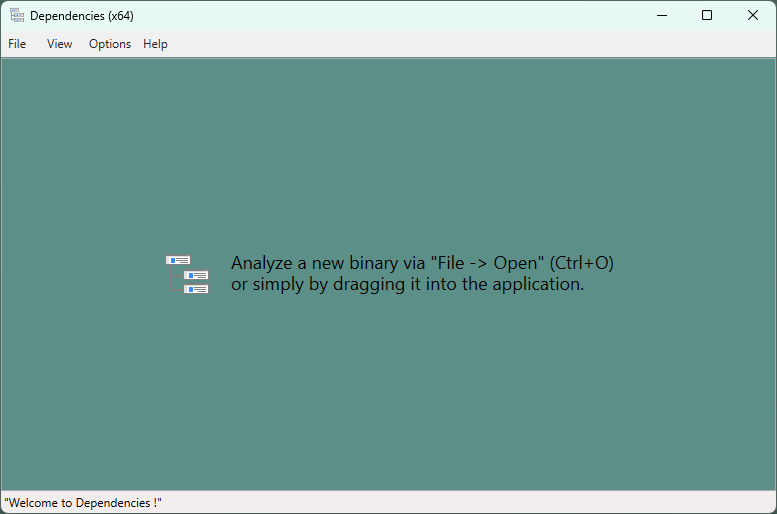
Dependencies: Check all DLL dependencies
-
ProcMon: Trace the actual path of DLL loading
-
Check if the function is exported using:
dumpbin /exports mydll.dll
-
-
AccessViolationException
-
Cause: C++ function signature and C# declaration do not match
Solution: Check function signatures and types.
- Example: C++
boolis 1 byte, but C#boolis 4 bytes—explicit marshaling is required.
- Example: C++
C++ and C# Interop Compatibility Table
| Case | C++ Type | C# Equivalent |
|---|---|---|
| String | char* |
StringBuilder, [Out], MarshalAs(LPStr) |
| Fixed String | char[64] |
[MarshalAs(UnmanagedType.ByValTStr, SizeConst = 64)] string |
| Boolean | bool |
[return: MarshalAs(UnmanagedType.I1)] |
| Structure | struct |
[StructLayout(LayoutKind.Sequential)] |
| Calling Conv | __cdecl |
CallingConvention.Cdecl |
| Calling Conv | __stdcall |
CallingConvention.StdCall |
Tools
- Dependencies: Check for DLL dependencies
- Procmon: Monitor and trace DLL loading